Connections
PLCVisu Protocol
The standard PLCVisu protocol enables real-time communication over WebSockets by exchanging structured messages between the client and backend.
Communication Pattern
It follows a request–response model:
- Widgets subscribe to specific variables
- Updates are pushed automatically whenever those values change
This ensures efficient data flow while keeping system resource usage low.
Integration
- Fully integrated with the PLC connection type
- Ideal for responsive and real-time HMI applications
PLCVisu Static Protocol
PLCVisu Static is a performance-optimized variant of the PLCVisu protocol.
It maintains a persistent WebSocket connection and stays subscribed to all relevant data in the background.
How It Works
Once connected:
- All subscribed data is continuously received and stored in memory
- Visualizations read directly from this memory cache instead of fetching live data repeatedly
Key Points
Faster display performance
→ Page transitions are nearly instantaneous thanks to preloaded data
Higher resource usage
→ All variables stay active in memory, which may increase RAM and CPU load
CODESYS Back-end
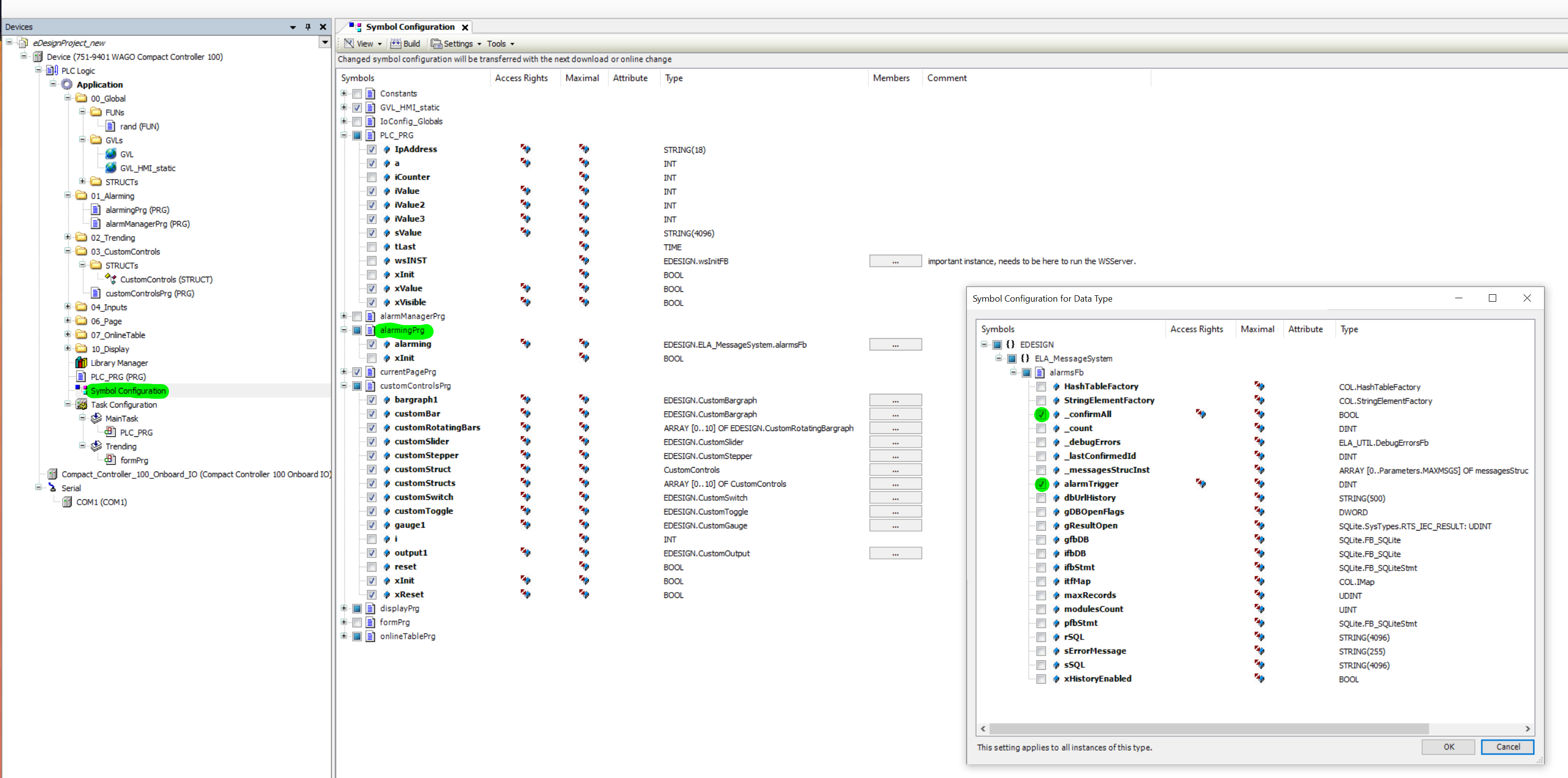
To expose variables to the PLCVisu interface, you must configure the Symbol Configuration in your CODESYS project.
Setup Requirements
- Open Symbol Configuration
- Explicitly mark the variables you want to make visible to PLCVisu
The following screenshot shows a typical symbol configuration including alarm-related variables.
These will then be available through the Connections module in PLCVisu.