Alarms
Codesys Back-End
The Codesys integration handles the activation and deactivation of alarms within the PLC logic. It interfaces directly with the alarm front-end via variable binding.
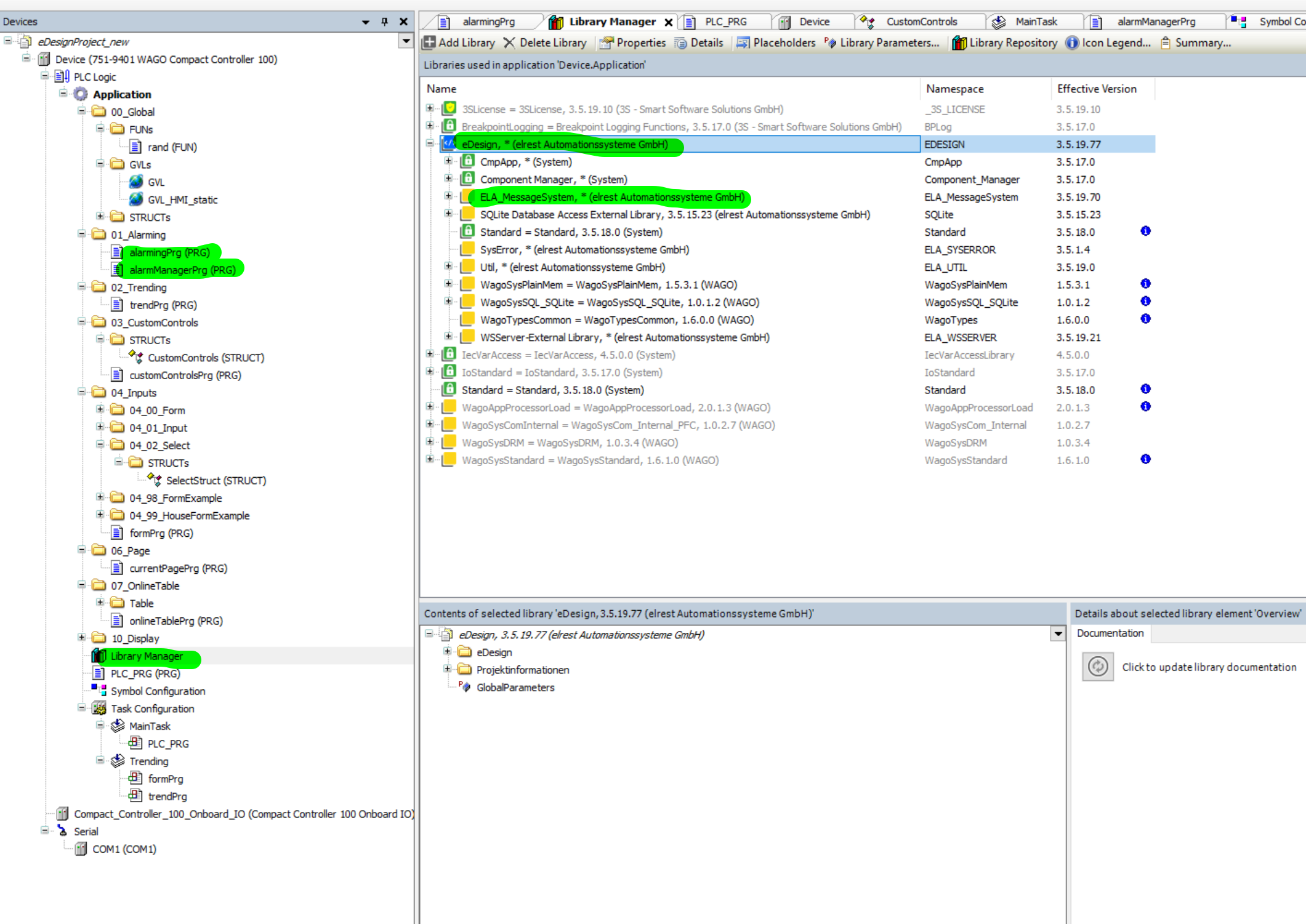
Required Libraries
To use alarms in your Codesys project, you must include:
- PLCVisu – Framework for communication and UI support
- ELA_MessageSystem – The core alarm handling library -> this is included under PLCVisu library
For more details see screenshot:
Symbol Configuration in Codesys
To enable alarm communication between Codesys and the HMI, you must expose alarm-related variables in the Symbol Configuration. These variables must be selected and made available for external access.
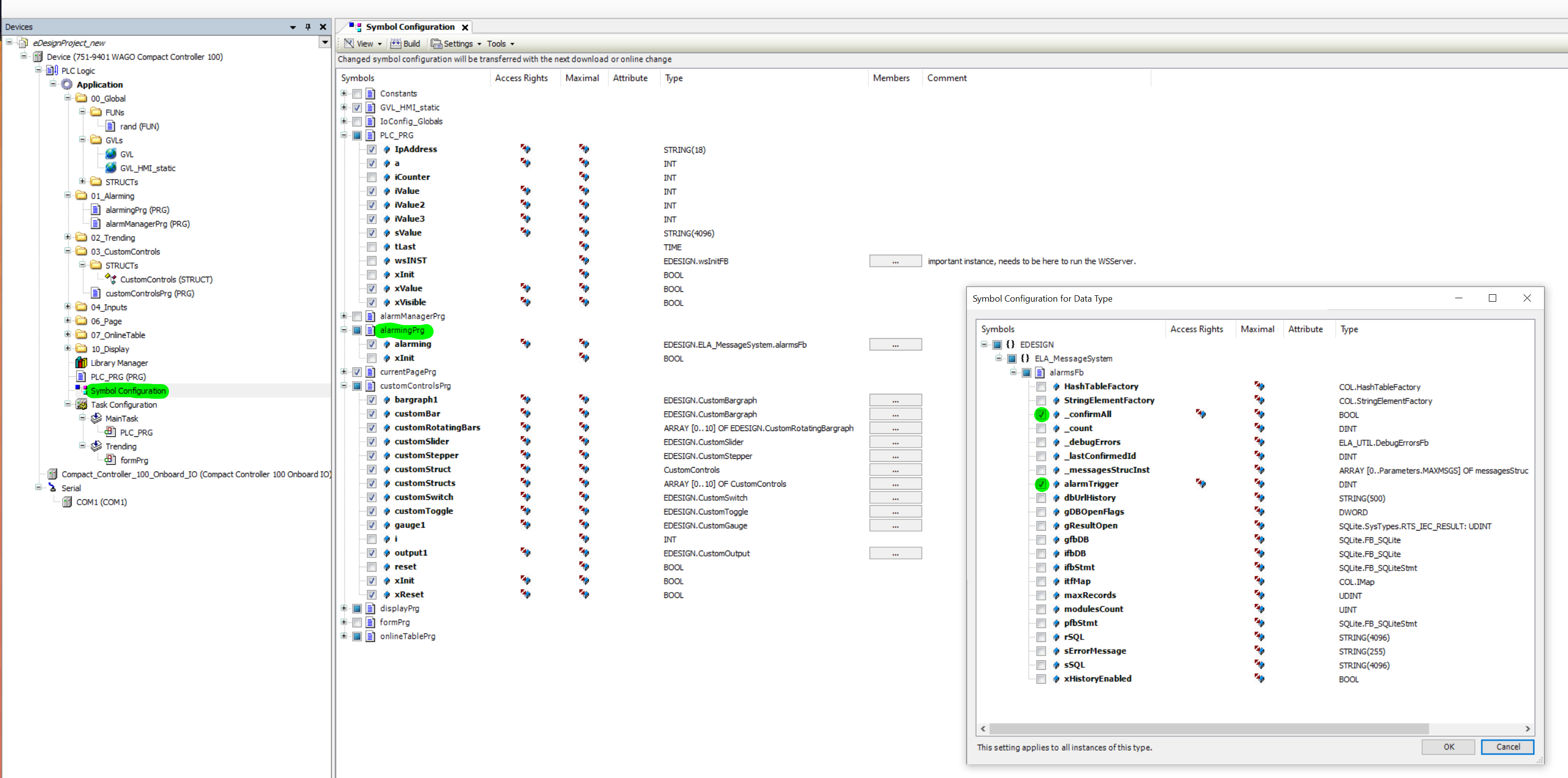
Make sure that all necessary alarm structures and variables are enabled for external access; otherwise, the alarms will not be shown correctly in the HMI.
Alarm Implementation
alarmPrg
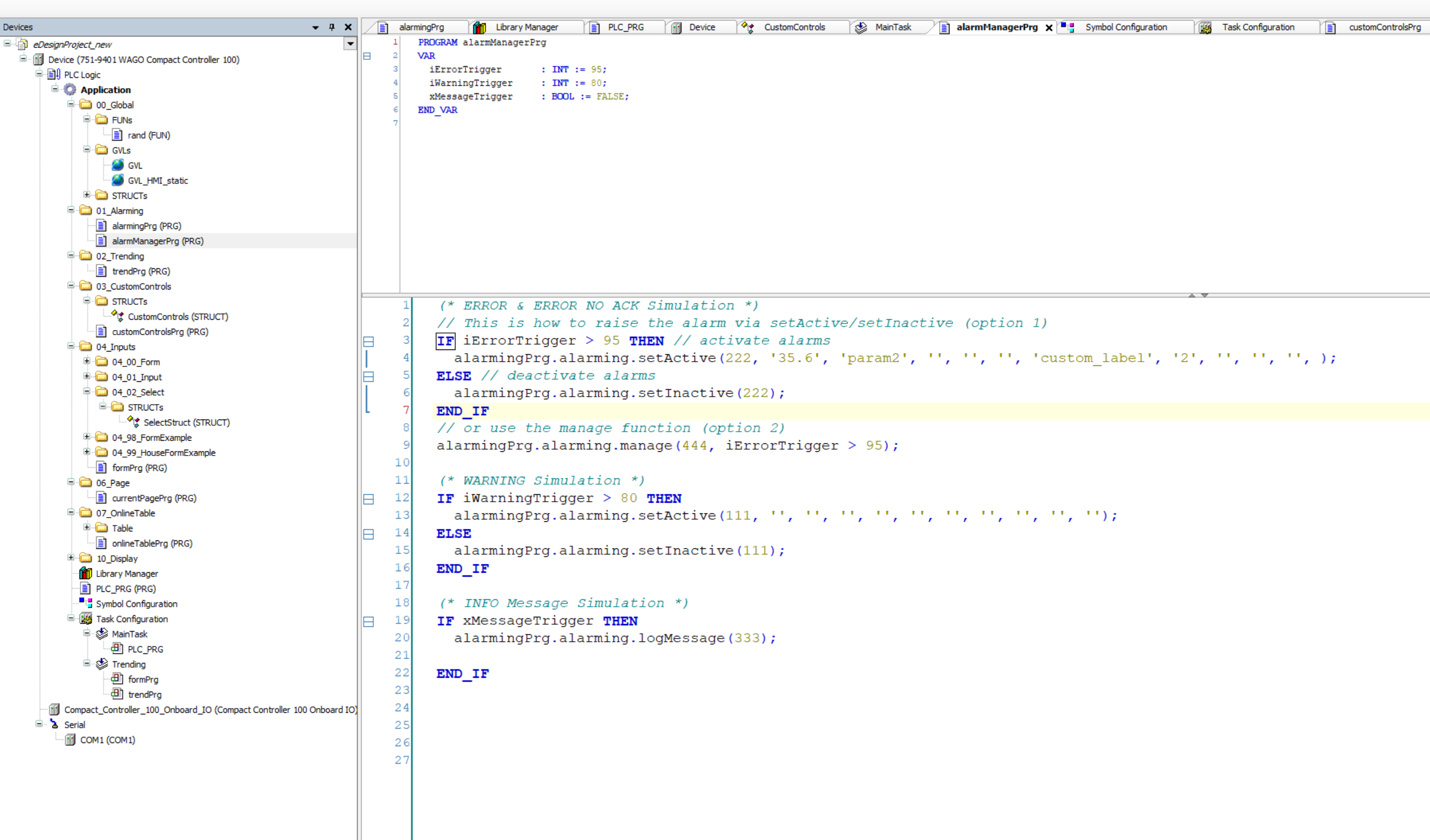
PLC program that handles the inicialization of the alarms and also the events. This is usually included in the PLC_PRG or can be placed directly into the separate task.
alarmingManagerPrg
The program where the actual logic for activating and deactivating alarms is happening.
setActive
Activates an alarm with optional parameters and translation placeholders:
setActive(msgId : UINT, param1 : STRING := '', param2 : STRING := '', param3 : STRING := '', param4 : STRING := '', param5 : STRING := '', trans1 : STRING := '', trans2 : STRING := '', trans3 : STRING := '', trans4 : STRING := '', trans5 : STRING := '', moduleId : UINT := 0);
setInactive
Deactivates a previously active alarm:
setInactive(msgId : UINT, moduleIndex : UINT := 0, tag : STRING := '');
manage
Provides trigger as input parameter and is replacing setActive and setInactive.
alarmingPrg.alarming.manage(444, iErrorTrigger > 95);
These methods are typically called from a structured alarm manager program like alarmManagerPrg.
example