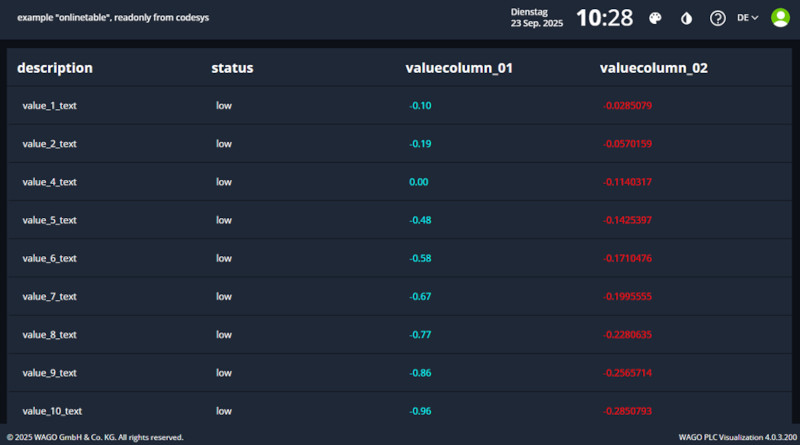

Showcases General
RemoteTable
Create your table direct inside of CODESYS.
-
define the meta struct
TYPE MetaRow : STRUCT visible:BOOL; END_STRUCT END_TYPE -
define the struct of the data elements, important is at the end include the struct meta.
TYPE TableRowItem : STRUCT id : UINT; name:STRING; value:REAL; toggle:BOOL; meta:MetaRow; END_STRUCT END_TYPE -
define the struct for of the data array, the selectedIndex shows the selected row
TYPE RemoteTable : STRUCT selectedIndex:INT; data : ARRAY[0..50] OF TableRowItem; END_STRUCT END_TYPE -
fill the data array with content
 FOR i:=0 TO 29 BY 1 DO
     remoteTable.data[i].id := UINT_TO_INT(i);
     remoteTable.data[i].name := 'name';
     remoteTable.data[i].value := INT_TO_REAL(i);
     remoteTable.data[i].meta.visible := TRUE;
 END_FOR
Remote table inside of PlcVisu.
Change Edit Mode
call the Menue Tables->Tables->New
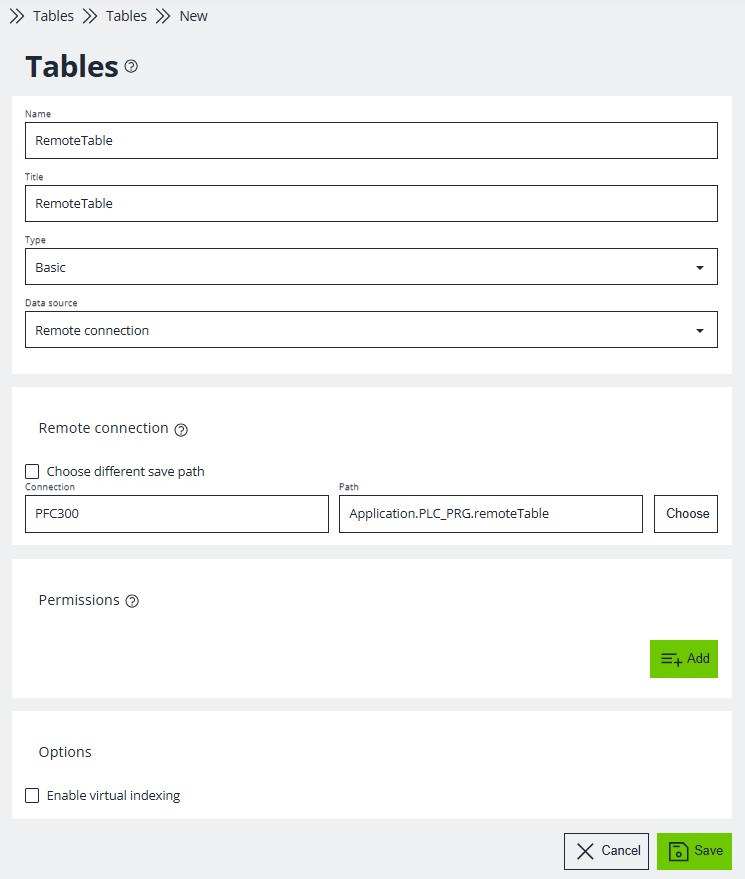
- select data source : Remote connection
- Remote connection : Choose the CODESYS variable of the instance of RemoteTable.
Change Run Mode
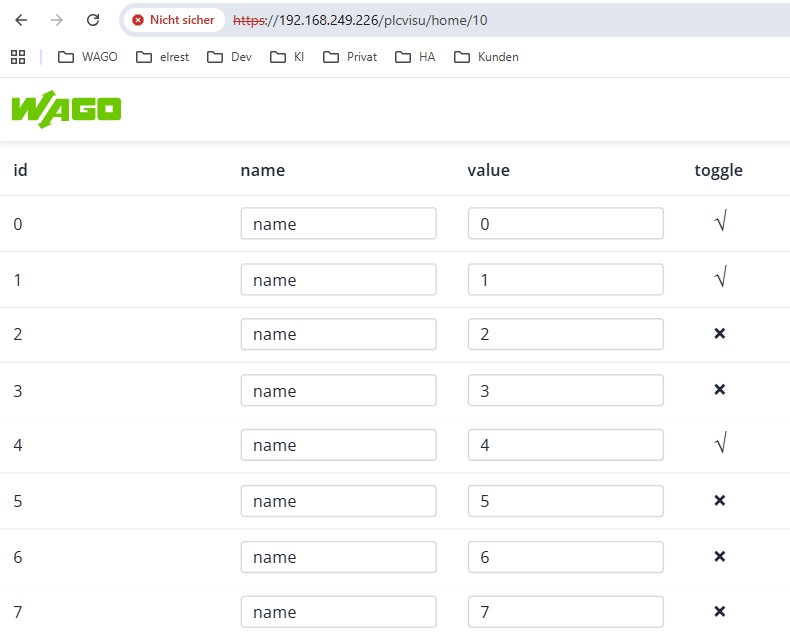
You can now edit the values online
FOR i:=0 TO 29 BY 1 DO
remoteTable.data[i].id := UINT_TO_INT(i);
remoteTable.data[i].name := 'name';
remoteTable.data[i].value := INT_TO_REAL(i);
remoteTable.data[i].meta.visible := TRUE;
END_FOR
TYPE RemoteTable :
STRUCT
selectedIndex:INT;
data : ARRAY[0..50] OF TableRowItem;
END_STRUCT
END_TYPE
TYPE TableRowItem :
STRUCT
id : UINT;
name:STRING;
value:REAL;
toggle:BOOL;
meta:MetaRow;
END_STRUCT
END_TYPE
TYPE MetaRow :
STRUCT
visible:BOOL;
END_STRUCT
END_TYPE